Widgets for iOS
One other feature I’d really love to see in Waypoint is proper iOS Home Screen and Lock Screen widgets.
I think Waypoint is particularly well suited to widgets because budgeting is something where a quick glance can actually affect a decision before money is spent. I’d love for the widgets to provide useful information rather than simply act as shortcuts to open the app.
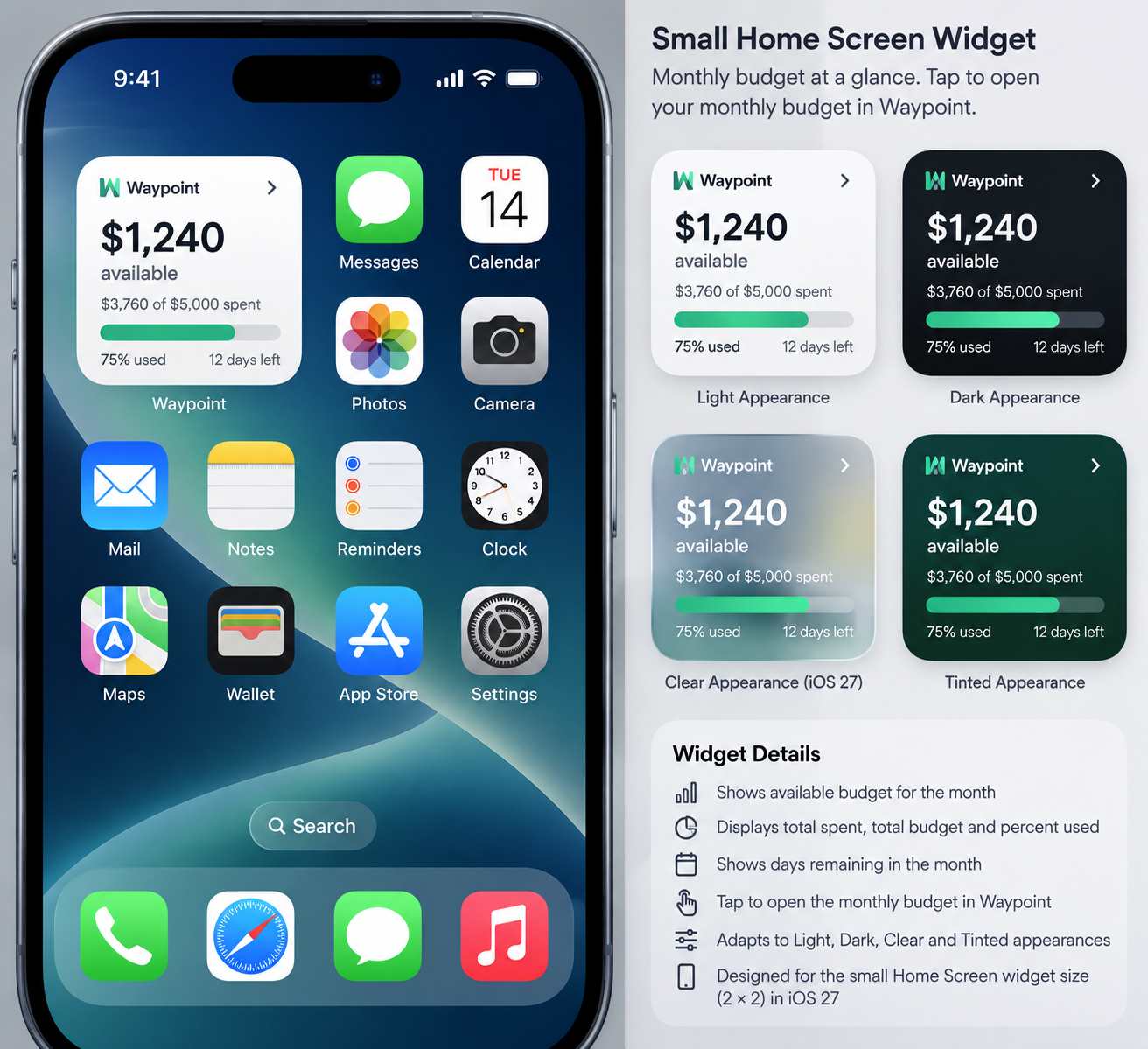
For a small Home Screen widget, it could show the amount remaining for the month, amount spent versus budget, percentage used, and days remaining. It would also be useful if users could configure it to show a specific category such as Groceries, Dining, or Shopping instead.
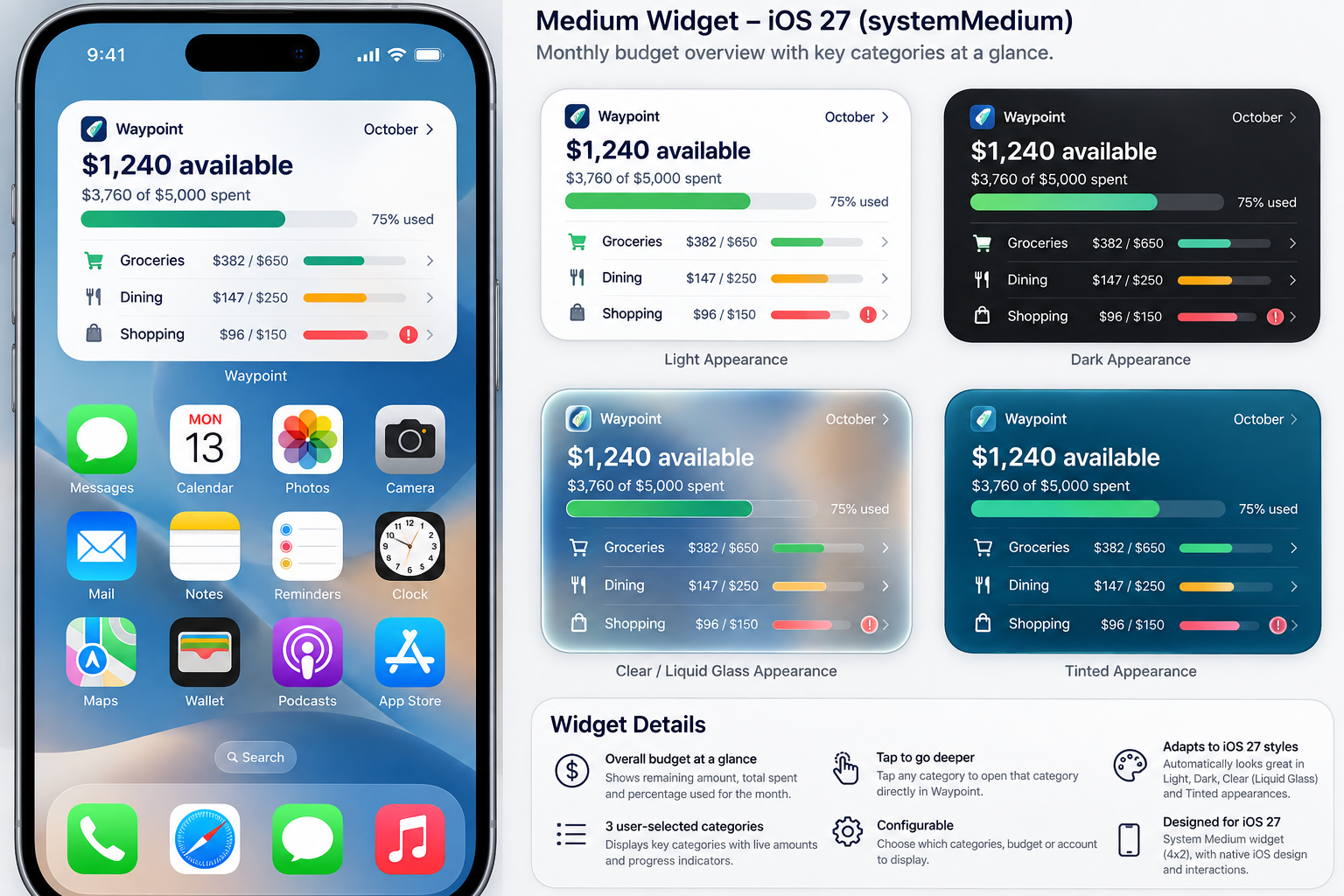
For a medium Home Screen widget, I’d love to see an overall monthly budget snapshot with the amount remaining, spending progress, and 3–4 user-selected categories with their remaining amounts or progress. If possible, tapping a category could open that category directly in Waypoint.
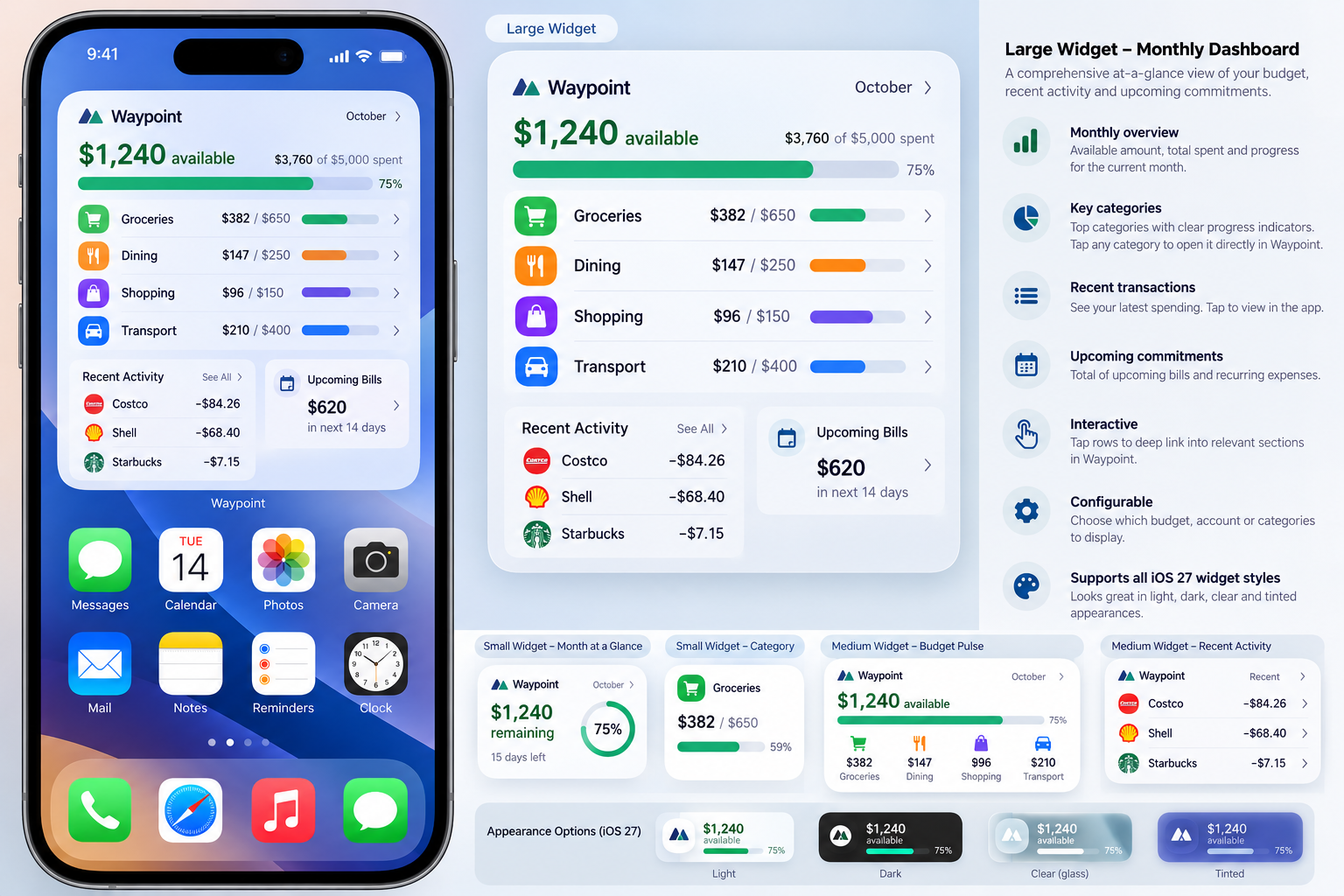
A large Home Screen widget could work more like a mini monthly dashboard, with overall budget progress, key categories, a few recent transactions, upcoming recurring or committed expenses, and perhaps savings or debt-goal progress.
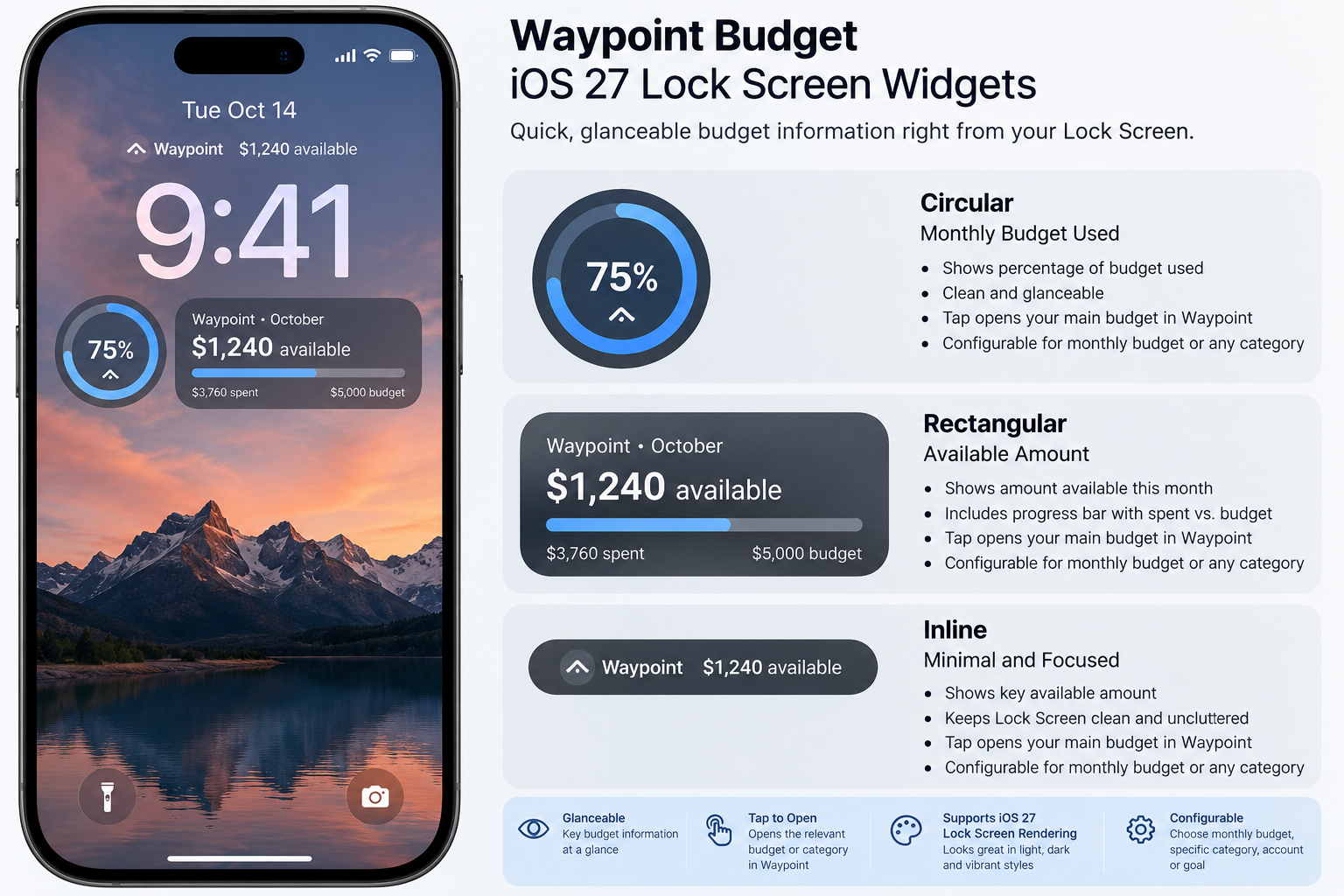
For the Lock Screen, a circular widget could show the percentage of the monthly budget used, a rectangular widget could show something like “October Budget — $1,240 available” with a small progress indicator, and an inline widget could simply show “Waypoint: $1,240 available this month.”
I think configurability would be especially important. Ideally, users could choose which budget, account, category, or goal is displayed instead of everyone receiving the same widget.
One feature I’d especially love to see is a “Safe to Spend” or “Available to Spend” amount. Rather than only showing the total amount left in the monthly budget, Waypoint could show what is realistically available after upcoming bills and other committed spending. Having that visible on the Home Screen could actually influence spending decisions before they happen.
I’ve also connected Waypoint with ChatGPT and now use the integration for scheduled morning and evening budget reviews. I see the two features complementing each other really well: Waypoint widgets could provide quick, glanceable day-to-day information, while ChatGPT can provide the deeper analysis and accountability.
If building every size initially is too much, I think a small Budget Remaining widget and a medium Budget Pulse widget would be an excellent first release.
I’ve attached some rough mockups to illustrate what I mean.
Log in to comment and vote
Comments1
team@waypointbudget
Oct 16
This is live in Waypoint Budget 1.4.0 on the App Store! Thank you for such a detailed post and the mockups, I am guessing ChatGPT Astra came up with these? or something similar. Very cool helping out with the visuals :)!!
There are 12 widgets in all!
A few things differ from your post:
• Instead of one large mini dashboard, the large sizes are focused widgets (categories, expenses, calendar, goals) that you can stack.
• The medium Category Breakdown shows 2 categories so the amounts stay readable. The large one shows 5.
• Widgets follow the budget you have open in the app, so you can’t pick a budget per widget yet.
• There’s no recent transactions widget yet.
Widgets work on every plan. Upcoming Charges needs Plus and Net Worth needs Pro, same as in the app. To add one, touch and hold an empty spot on your Home Screen, tap Edit, then Add Widget, and search for Waypoint. To choose categories, goals or accounts, touch and hold the widget and tap Edit Widget.
Love that you’re pairing it with your morning and evening ChatGPT reviews, that’s exactly how we hoped the two would work together. If anything looks off, or there’s a size or option you’d like next, let us know here.
Cheers,
Jamal