iOS app: don't round allocation amounts
Hi,
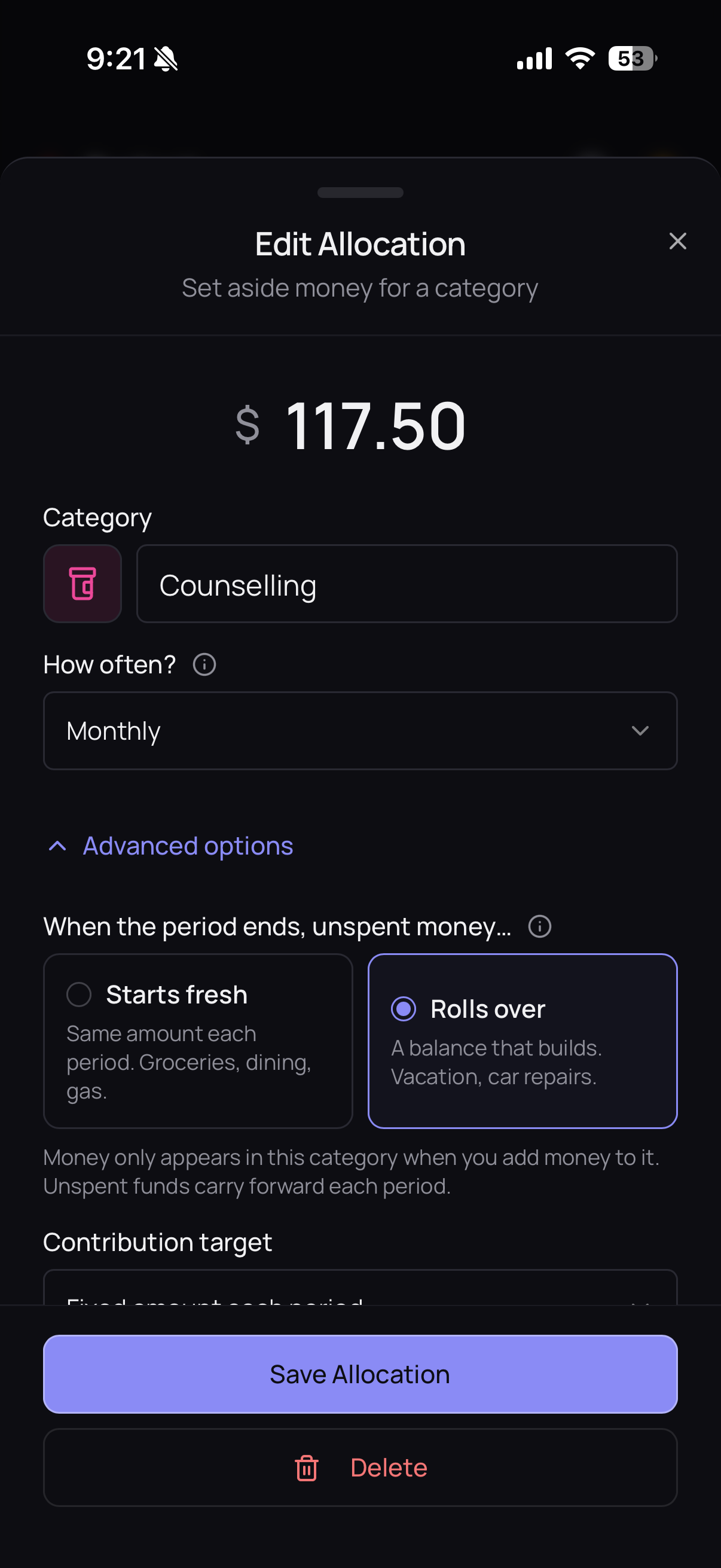
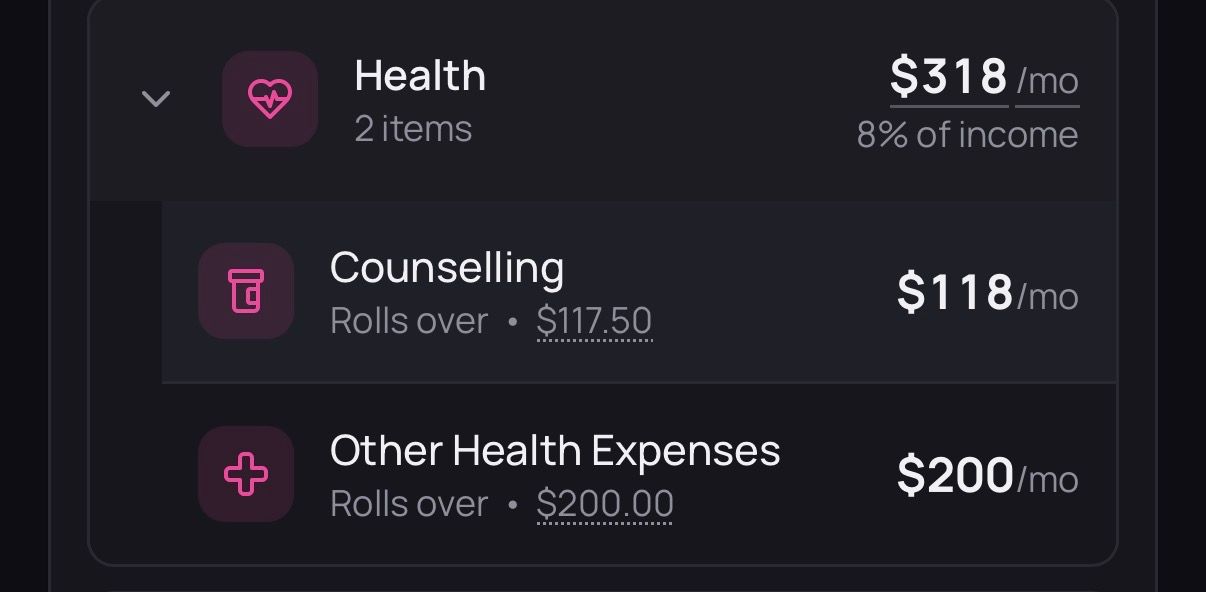
This is a small thing, but in the iOS app it's rounding my allocation numbers so the decibles don't show up. See Counselling screenshots for example.
Can this be a toggle, or the amount shown matches the allocation exactly? I budget to the cent so this isn't something I'd choose. Thanks!
Log in to comment and vote
Comments1
team@waypointbudget
Aug 31
Hi Sarah,
Thanks for the clear write-up and screenshots, that made this easy to track down.
You're right, and it's not you missing a setting. On the budget list we round the amounts on the right so the column stays easy to scan on smaller screens, and the exact amount lives in the smaller text under the category name. But we agree that seeing $118 when you set $117.50 reads as if your allocation changed, and a group total that doesn't match the sum of its rows looks off.
Rather than a toggle, we're going to change the rounding rule: amounts with cents will show their cents, and whole-dollar amounts will stay short.